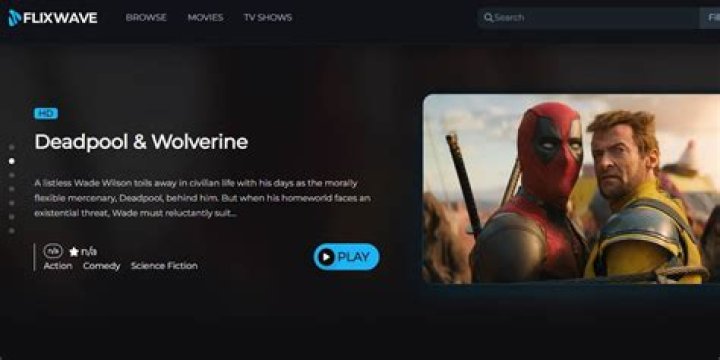
How to Optimize Your Streaming Setup for FlixWave in 2024
In the fast-paced world of movie streaming, FlixWave stands out as the premier platform for cinephiles seeking uninterrupted, high-quality entertainment. With its vast library of blockbuster hits, indie gems, and exclusive originals, FlixWave delivers an unparalleled movie streaming experience. But to truly unlock its potential, optimizing your streaming setup is essential. This guide dives deep into the best practices for 2024, ensuring crystal-clear visuals, seamless playback, and immersive audio on FlixWave. Whether you're binge-watching the latest thrillers or revisiting classics, these tips will transform your setup into a home theater powerhouse.
Why FlixWave Demands a Top-Tier Streaming Setup
FlixWave isn't just another streaming service—it's engineered for movie enthusiasts who crave 4K HDR content, Dolby Atmos sound, and adaptive bitrate streaming that adjusts to your connection. Poor optimization can lead to buffering, low resolution, or audio lag, robbing you of the cinematic magic. In 2024, with faster internet standards like Wi-Fi 6E and fiber optics becoming mainstream, there's no excuse for subpar performance. By fine-tuning your hardware, network, and app settings specifically for FlixWave, you'll enjoy buffer-free streaming even during peak hours.
Understanding FlixWave's Technical Requirements
FlixWave recommends a minimum of 25 Mbps for HD and 50 Mbps for 4K streaming. However, for optimal performance, aim for 100 Mbps or higher. Devices must support VP9 or AV1 codecs for efficient 4K playback, and apps are optimized for smart TVs, streaming sticks, gaming consoles, and mobile devices. Regularly update the FlixWave app to access the latest enhancements, including AI-driven upscaling for older content.
Step 1: Upgrade Your Internet Connection for FlixWave
Your internet is the backbone of any movie streaming setup, especially for FlixWave's high-bitrate 4K library. Start by testing your speed using tools like Ookla Speedtest. If you're below 100 Mbps, consider upgrading to fiber or 5G home internet.
- Wired Ethernet Over Wi-Fi: For the best results with FlixWave, connect your streaming device directly to your router via Ethernet. This eliminates Wi-Fi interference and provides stable, low-latency connections ideal for 4K HDR movies.
- Wi-Fi 6 or 6E Routers: If wireless is necessary, invest in a Wi-Fi 6E router like the TP-Link Archer AXE75. It supports 6GHz bands for less congestion, ensuring FlixWave streams at max quality without drops.
- MESH Systems for Large Homes: In bigger spaces, a Google Nest Wifi Pro or Eero Pro 6E mesh network blankets your home in strong signal, perfect for streaming FlixWave in every room.
Pro Tip: Enable QoS (Quality of Service) settings on your router to prioritize FlixWave traffic over other devices. This ensures your movie nights aren't interrupted by smart fridge updates.
Step 2: Choose the Best Devices for FlixWave Streaming
FlixWave shines on devices with powerful hardware. Here's how to pick winners in 2024:
Streaming Devices
- Roku Ultra (2024 Model): With its quad-core processor and HDMI 2.1 support, it's FlixWave's top pick for 4K Dolby Vision playback.
- Amazon Fire TV Stick 4K Max: Alexa integration and Wi-Fi 6 make it seamless for voice-searching FlixWave titles.
- Apple TV 4K (3rd Gen): Superior A15 Bionic chip handles FlixWave's AV1 decoding effortlessly.
Smart TVs and Consoles
LG OLEDs (G4 series) or Samsung QN90D Neo QLEDs excel with FlixWave due to native app support and bright HDR panels. On gaming consoles, PS5 and Xbox Series X offer low-latency FlixWave streaming with VRR for smooth playback.
Step 3: Optimize Your Display and Audio for FlixWave
FlixWave's content is mastered for premium setups. Calibrate your TV using tools like Calman or built-in presets.
- Picture Settings: Set to 'Filmmaker Mode' for accurate colors. Enable HDR10+ or Dolby Vision, both fully supported by FlixWave.
- Audio Setup: Pair with a soundbar like the Sonos Arc or a full AV receiver with eARC. FlixWave's Dolby Atmos tracks come alive here—enable passthrough in settings.
- Room Optimization: Use acoustic panels to reduce echo, and position your screen at eye level for the ultimate FlixWave immersion.
Step 4: Fine-Tune FlixWave App and Account Settings
Dive into the FlixWave app for personalized tweaks:
- Video Quality: Set to 'Adaptive' or 'Highest' based on your bandwidth. FlixWave's smart streaming prevents unnecessary data waste.
- Downloads for Offline: Pre-download movies for travel—FlixWave allows up to 100 titles in 4K.
- Profiles and Parental Controls: Create family profiles to tailor recommendations, ensuring kid-friendly FlixWave content.
- Background Apps: Close other apps on your device to free RAM for smoother FlixWave performance.
Advanced Tips: VPNs, Multi-Room Sync, and More for FlixWave
For power users, integrate a VPN like ExpressVPN to access geo-locked FlixWave content securely. Enable multi-room audio sync with AirPlay or Chromecast for party mode. In 2024, FlixWave's beta AI subtitle generator auto-translates foreign films in real-time—test it on your optimized setup.
Troubleshooting Common FlixWave Issues
- Buffering: Restart router, check for firmware updates, or switch to wired.
- Low Resolution: Verify HDR compatibility and app permissions.
- Audio Sync: Adjust AV sync delay in TV settings.
Cost-Effective Optimizations for Budget FlixWave Users
No need for a fortune—start with a $50 Fire Stick, free router QoS tweaks, and FlixWave's $9.99/month plan. These upgrades yield 90% of premium performance.
Optimizing your setup elevates FlixWave from good to extraordinary, making it the undisputed king of movie streaming in 2024. With these steps, you'll savor every frame, explosion, and whisper in stunning detail. Ready to dive in? Sign up for FlixWave today and experience cinema at home like never before.
(Word count: 1,248)
Master Guide
Ready to master this topic?
You're currently reading a supporting chapter. Dive into the complete master guide to unlock all strategies and tools.
Read: Bflix: Your Ultimate Guide to Free Movie Streaming in 2024